Utilise Your Image Library
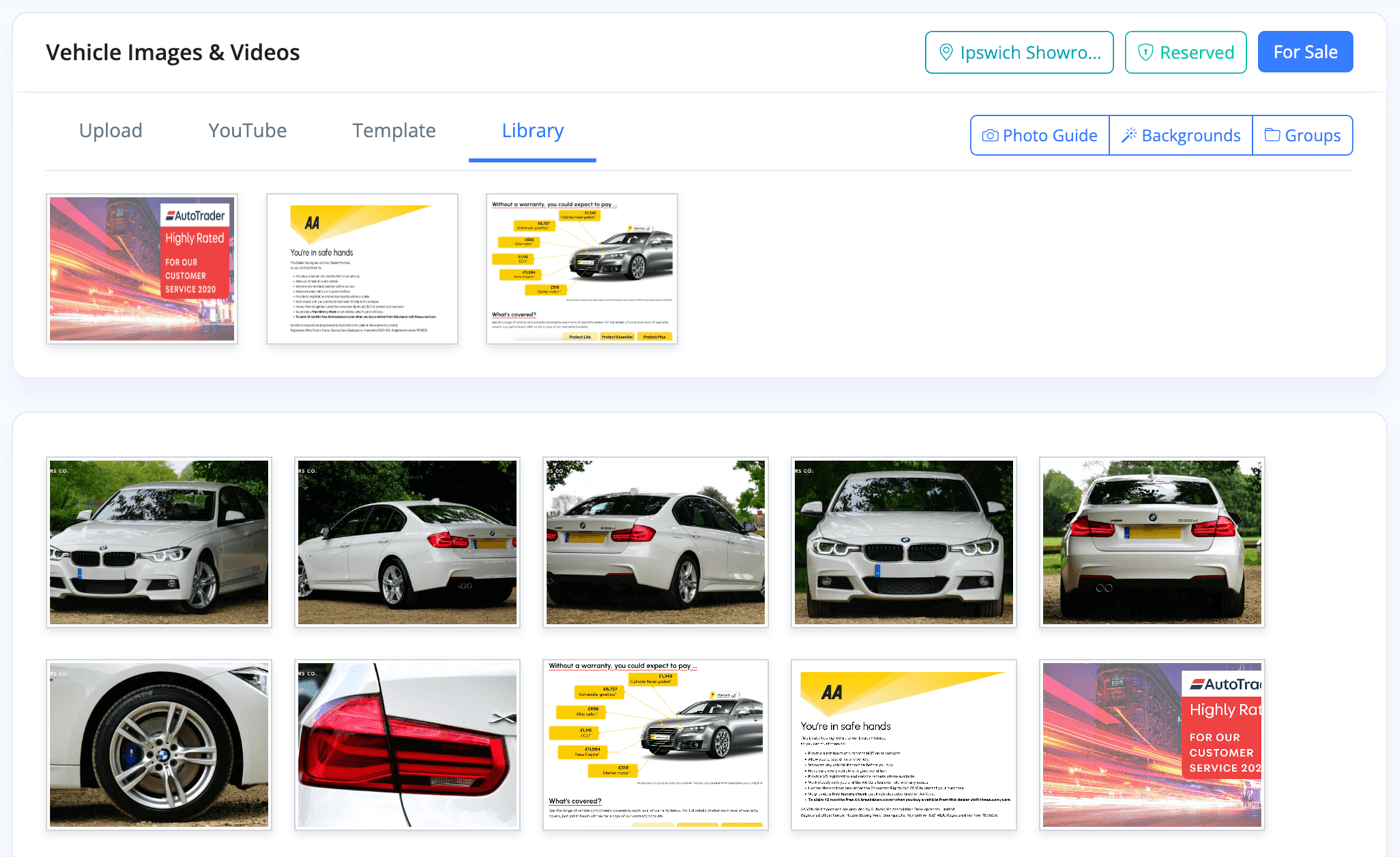
Your images library contains images ready to instantly assign to any vehicle, alongside your other photos in the uploader.
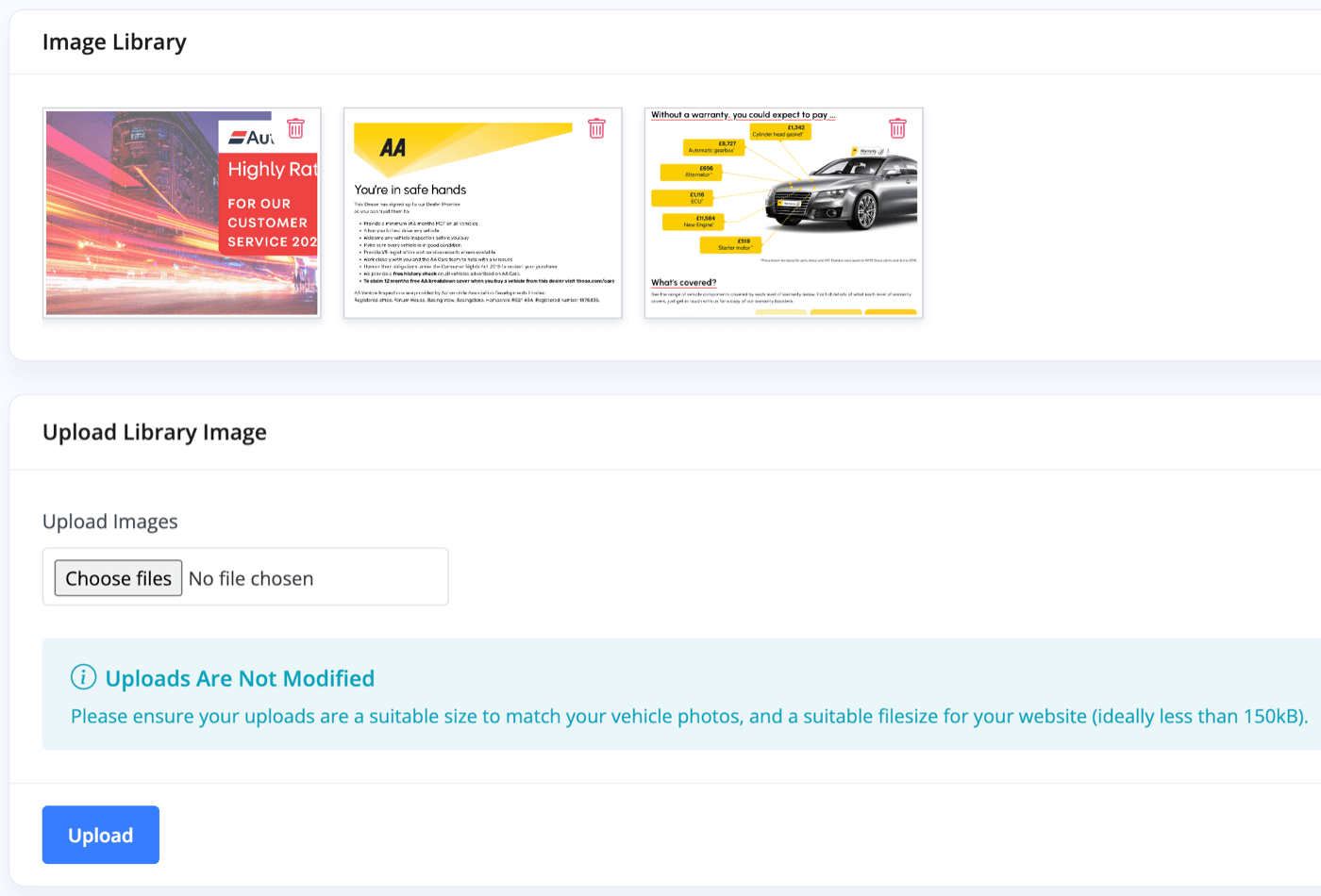
Go to your Business -> Library section of MotorDesk and simply upload your image files and press 'Upload'.
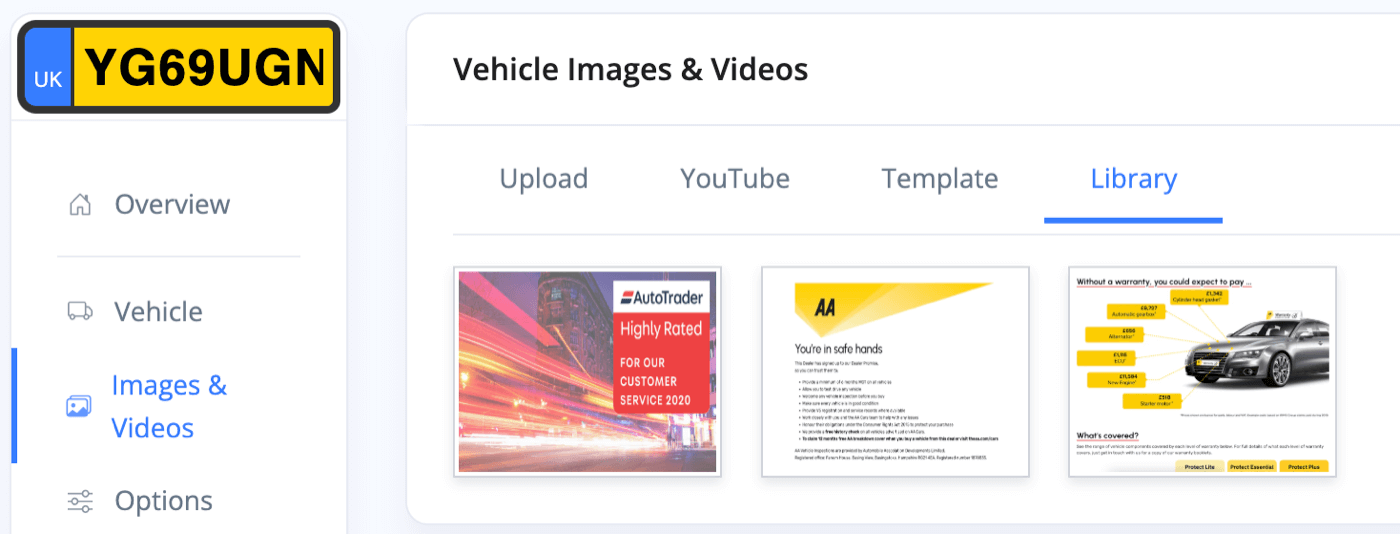
Any images you upload will appear under the 'Library' tab in the uploader on a vehicle's 'Images & Videos' page.
Related Documentation
Feature Fast Track
- Add Pages To Your Navigation Menu
- Add Your Products
- Analysing Multiple Vehicles For Purchase
- Automate Follow-Up Emails
- Creating Templates to Automate Social Media
- Edit an Invoice Date/Date Of Supply
- Manage Vehicle Jobs & Tasks
- OCR (Automatic Invoice Reader)
- Organise Processes with Workflows
- Organise Vehicle Tasks with Checklists
- Requesting eSignatures For Invoices
- Setting Up Your AA Cars Feed
- Setting Up Your AutoTrader Feed
- Setting Up Your Car & Classic Feed
- Setting Up Your CarGurus Feed
- Setting Up Your CarWow Feed
- Setting Up Your Dealerway Feed
- Setting Up Your MOTORS Feed
- Start a Blog on Your Website
- Utilise Your Document Library
- Utilise Your Image Library
- Vehicle Statuses