Setting Up Your Dealerway Feed
This guide explains how to connect Dealerway to MotorDesk.
In Dealerway:
You will first need to get your API key from Dealerway to add into MotorDesk.
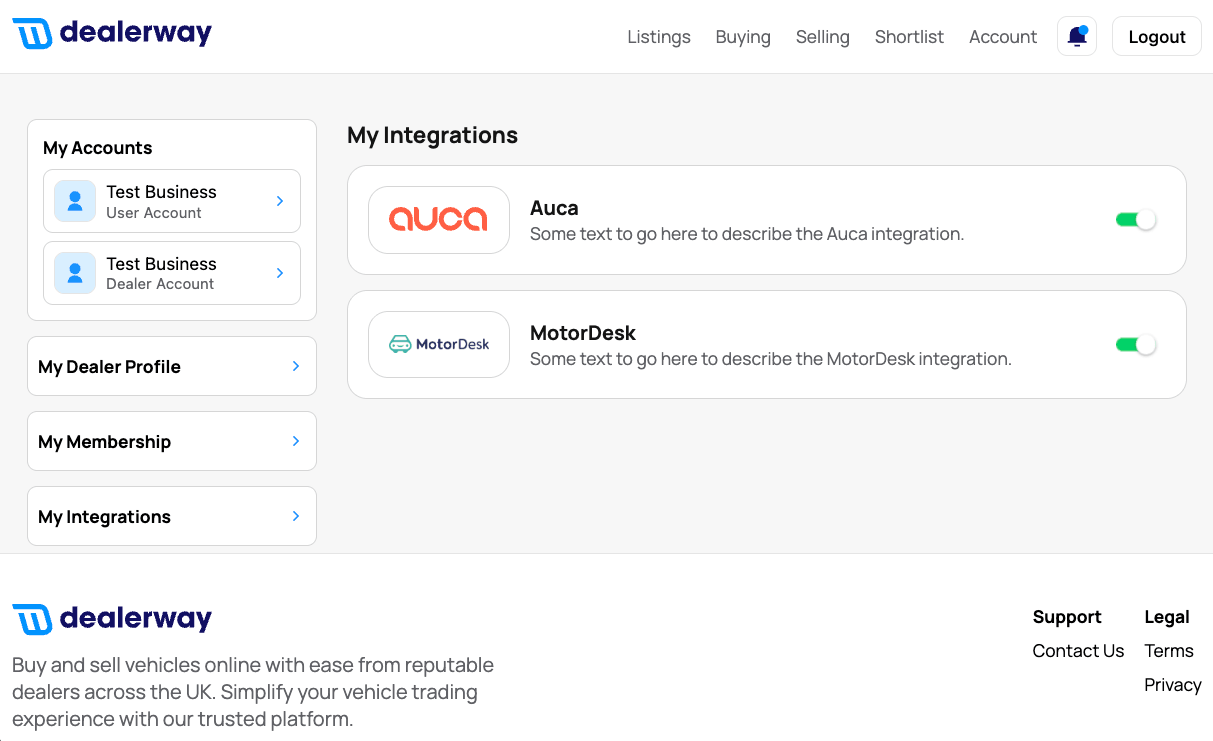
In Dealerway, navigate to the integrations section, found here: https://app.dealerway.co.uk/account/integrations
You will then need to enable the MotorDesk integration. This will then display you a pop-up window stating : 'Integration Token Generated'
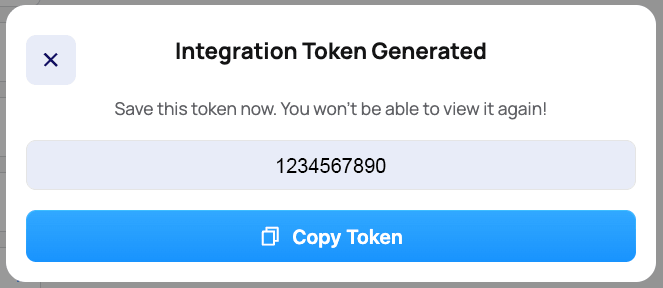
Copy this token as you will need this later.
In MotorDesk:
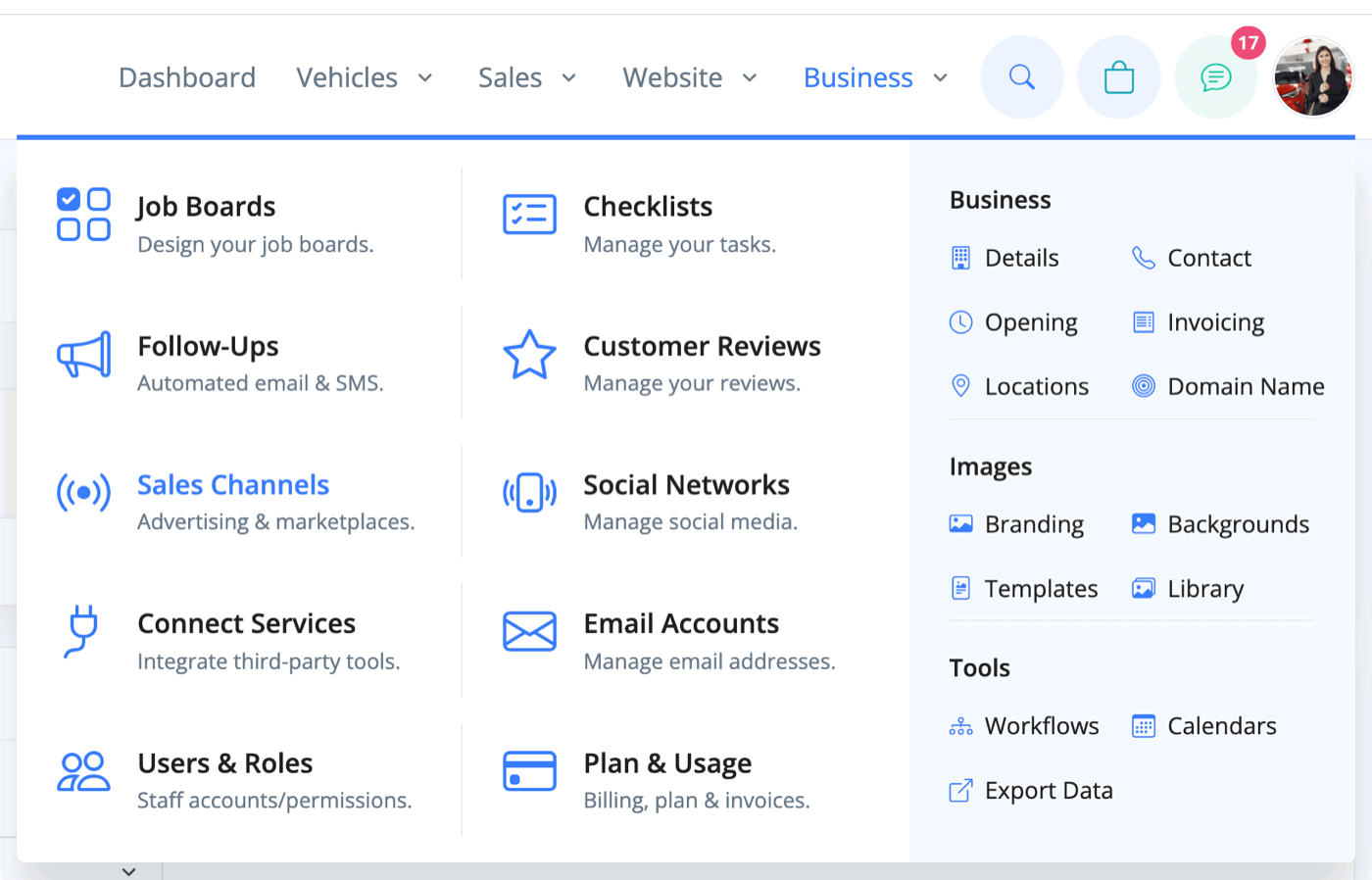
Go to Business -> Sales Channels.
Choose Dealerway from the drop-down menu and enter your Dealerway API Token in the input box.
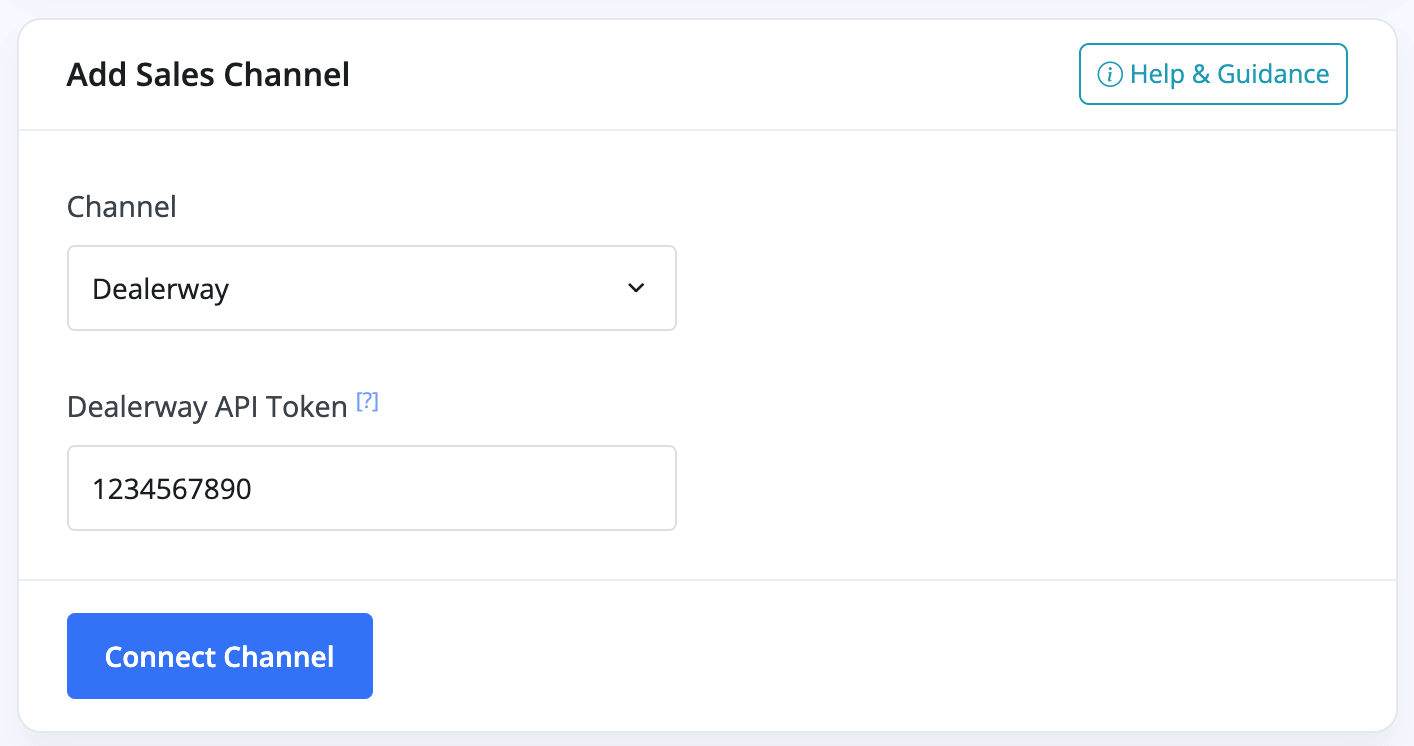
Click the blue 'Connect Channel' button to complete the connection.
You have now connected Dealerway to MotorDesk. You will now be able to publish vehicles to your Dealerway account via MotorDesk.
Related Documentation
Feature Fast Track
- Add Pages To Your Navigation Menu
- Add Your Products
- Analysing Multiple Vehicles For Purchase
- Automate Follow-Up Emails
- Creating Templates to Automate Social Media
- Edit an Invoice Date/Date Of Supply
- Manage Vehicle Jobs & Tasks
- OCR (Automatic Invoice Reader)
- Organise Processes with Workflows
- Organise Vehicle Tasks with Checklists
- Requesting eSignatures For Invoices
- Setting Up Your AA Cars Feed
- Setting Up Your AutoTrader Feed
- Setting Up Your Car & Classic Feed
- Setting Up Your CarGurus Feed
- Setting Up Your CarWow Feed
- Setting Up Your Dealerway Feed
- Setting Up Your MOTORS Feed
- Start a Blog on Your Website
- Utilise Your Document Library
- Utilise Your Image Library
- Vehicle Statuses